Gatsby with Contentful Rich Text: updating to version 4 and up
August 23rd, 2022
I recently updated this site! In doing so I came across a breaking change in the gatsby-source-contentful plugin I use to populate this blog with content.
The situation
Gatsby sites using Contentful CMS with the Rich Text field and nested assets or entries. Most of my nested entries are code snippets. The gatsby-source-contentful plugin is necessary to get the data (my posts!) from Contentful to this site.
In previous versions, the plugin provided a json object for the rich text entry including the nested entries. It was fairly straightforward to query it with GraphQL and pop it into the template. This is an example of how my template file used to look, with version 2 of the plugin.
import { documentToReactComponents } from "@contentful/rich-text-react-renderer"

export const query = graphql`
  query($slug: String!) {
    contentfulBlogPost(slug: { eq: $slug }) {
      title
      publishedDate(formatString: "MMMM Do, YYYY")
      body {
        json
      }
    }
  }
`

const Blog = props => {
  const options = {...}

  return (
    <Layout>
    ...
      {documentToReactComponents(
        props.data.contentfulBlogPost.body.json,
        options
      )}
    </Layout>
  )
}

export default Blog
In version 4+, the json object is no longer available, because there were issues with large sites and nested entries. In order to resolve the issue, the body of a rich text entry is now separated into the raw data and references to embedded entries / assets.
Here's an example from the GraphQL explorer:
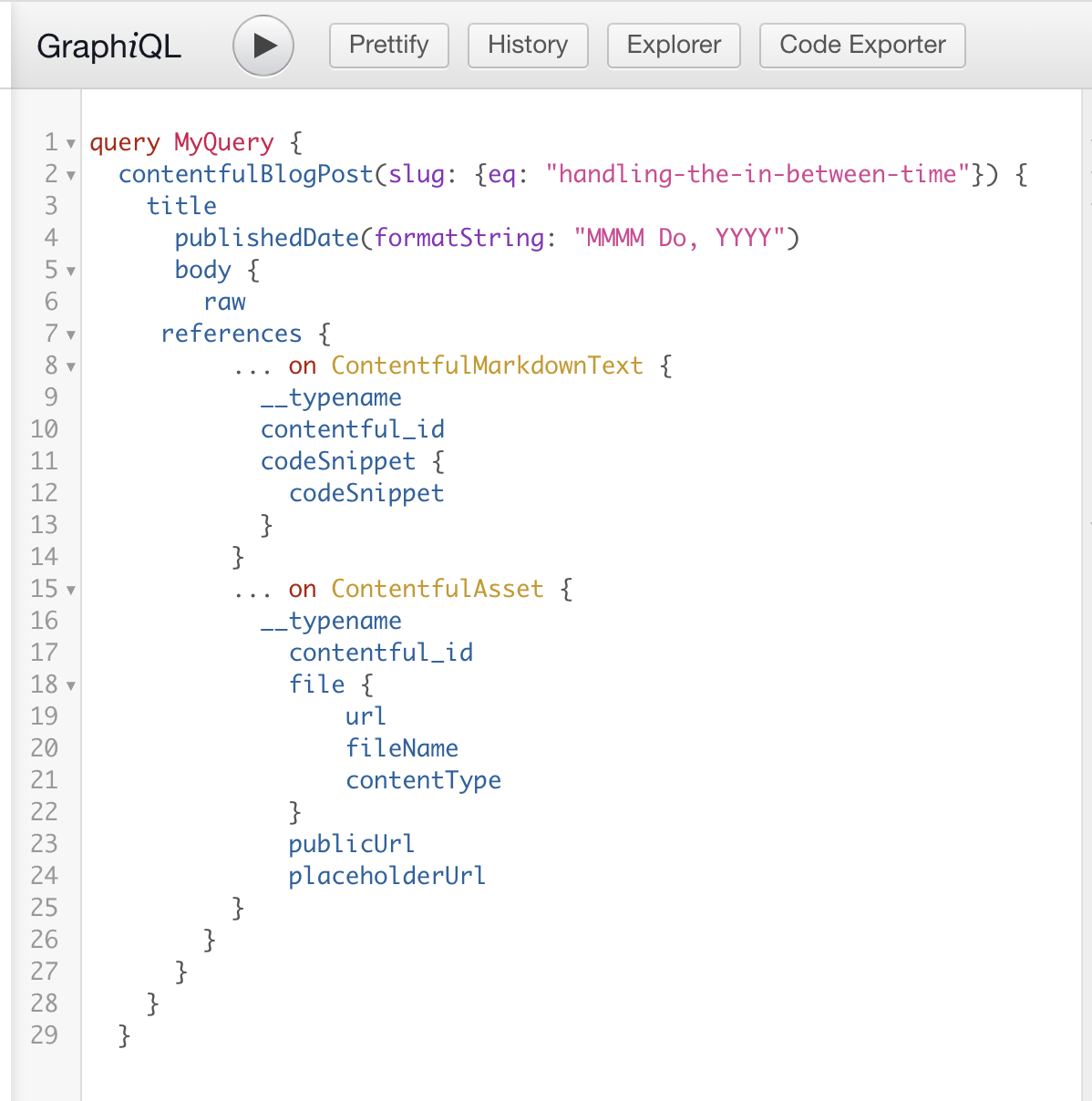
I have two kinds of embedded items that are referenced: entries (Markdown text), and assets (images). In order for this to work, you also have to query two fields on each referenced item: contentful_id and __typename. You won't find __typename in the explorer to click on. It's a feature of GraphQL that allows you to differentiate between different data types on the client.
Here's an example of the new template file:
...
import { BLOCKS } from '@contentful/rich-text-types'
import { renderRichText } from 'gatsby-source-contentful/rich-text'

export const query = graphql`
  query ($slug: String!) {
    contentfulBlogPost(slug: { eq: $slug }) {
      title
      publishedDate(formatString: "MMMM Do, YYYY")
      body {
        raw
        references {
          ... on ContentfulMarkdownText {
            __typename
            contentful_id
            codeSnippet {
              codeSnippet
            }
          }
          ... on ContentfulAsset {
            __typename
            contentful_id
           ...
          }
        }
      }
    }
  }
`

const Blog = (props) => {
  const options = {
    renderNode: {
      [BLOCKS.EMBEDDED_ENTRY]: (node) => {
        const content = node.data.target.codeSnippet.codeSnippet
        return <CodeSnippet markdown={content}></CodeSnippet>
      },
      [BLOCKS.EMBEDDED_ASSET]: (node) => ...,
      [BLOCKS.PARAGRAPH]: (node, children) => ...,
  }
  return (
    <Layout>
    ...
      {renderRichText(props.data.contentfulBlogPost.body, options)}
    </Layout>
  )
}
The Takeaway
If you update your gatsby-source-contentful plugin to 4+, you'll need to adjust your query.
Retrieve the raw and references from body
Each reference must also query the contentful_id and the __typename
Utilize the renderRichText method from the plugin to show your data in the template
I found this Video On Gatsby with Contentful Rich Text to be helpful when I encountered this issue.
I hope this helps you on your way.
Happy coding!